
Logitech Combo Touch iPad Pro Review 2026: Is This the Best Keyboard Case for Students & Creators?
Introduction
If you own an iPad Pro, you already know how powerful it is. With the M-series chips, stunning display, and iPadOS features, Apple clearly wants the iPad Pro to replace laptops for many users. But there is one big limitation: typing. That’s where a proper keyboard case becomes essential, and this is exactly why many users are searching for a detailed Logitech Combo Touch iPad Pro review in 2026. This keyboard case is also featured in our Best iPad Pro accessories 2026 guide for students and creators.
Students, content creators, and professionals all want one thing—comfort, flexibility, and protection without sacrificing portability. Apple’s Magic Keyboard is popular, but it’s expensive and lacks full protection. Logitech takes a different approach with the Combo Touch, promising laptop-level typing, trackpad support, and full-body protection. The big question is: does it actually deliver?
Let’s break it down honestly.
What Is the Logitech Combo Touch for iPad Pro?
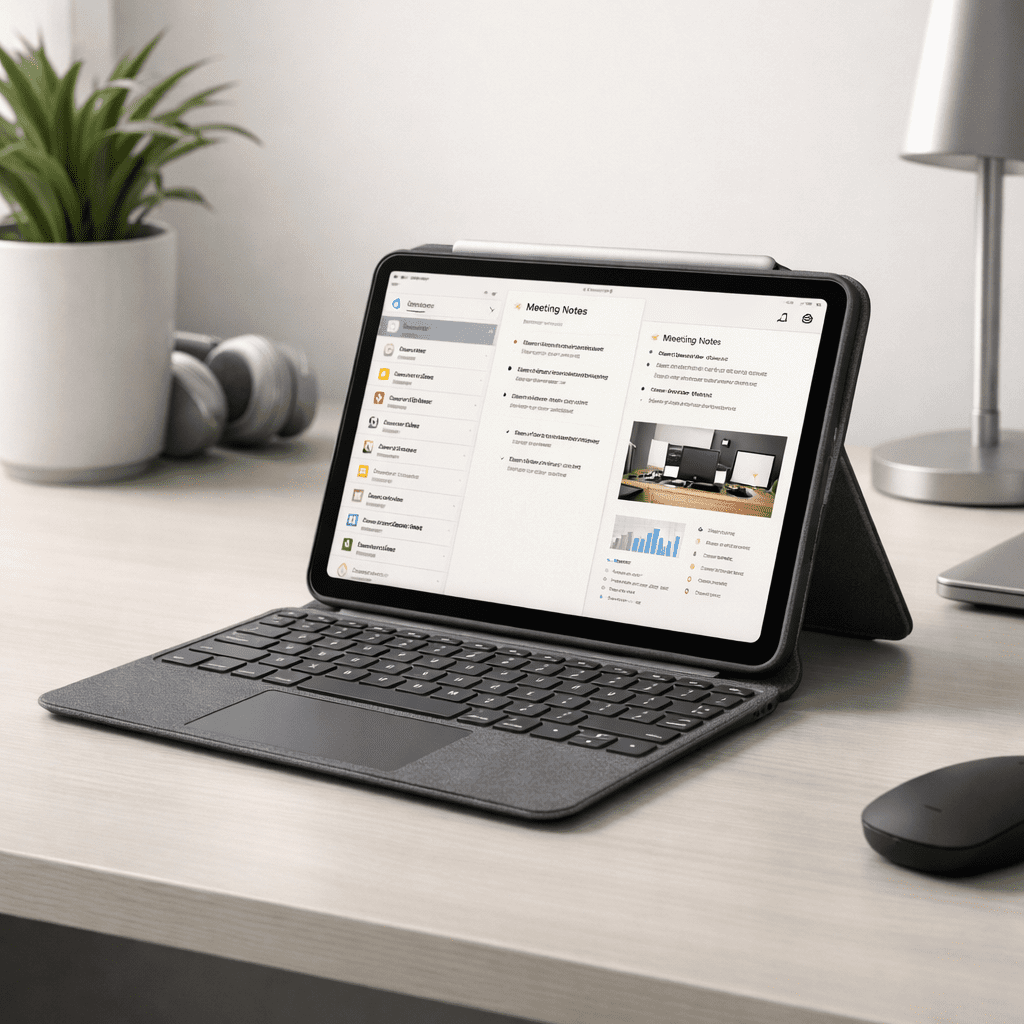
The Logitech Combo Touch is a detachable keyboard case designed specifically for iPad Pro models. Unlike traditional keyboard covers, it combines four things into one accessory: a protective case, a backlit keyboard, a precision trackpad, and a kickstand.
In this Logitech Combo Touch iPad Pro review, it’s important to note that Logitech officially supports iPadOS features like multi-touch gestures and shortcut keys, making it feel closer to a MacBook experience than most third-party keyboards.
Design and Build Quality
One of the first things you’ll notice is how solid the Combo Touch feels. The case wraps around the iPad, covering the edges and corners—something the Magic Keyboard does not do.
The detachable design is a huge advantage. When you want to watch movies, read, or draw, you can simply remove the keyboard and keep the protective back cover on. This flexibility alone makes the Combo Touch stand out in any Logitech Combo Touch iPad Pro review.
The adjustable kickstand is sturdy and allows multiple viewing angles, whether you’re typing at a desk or sketching with an Apple Pencil.
Typing Experience and Trackpad Performance
Typing Experience and Trackpad Performance
Typing on the Logitech Combo Touch feels surprisingly comfortable. The keys are well-spaced, responsive, and backlit, making it ideal for late-night study sessions or travel.
The trackpad deserves special mention. It supports iPadOS gestures like:

- Three-finger multitasking
- App switching
- Pinch-to-zoom
In real-world use, the trackpad performs smoothly and accurately. For students and writers, this alone can significantly boost productivity. In any serious Logitech Combo Touch iPad Pro review, the typing and trackpad experience is one of its strongest selling points
👉 Check latest price of Logitech Combo Touch on Amazon ( Currently 40% OFF! )
iPadOS Shortcut Keys (A Big Plus)
Logitech includes a full row of iPadOS shortcut keys at the top of the keyboard. These allow quick access to:
- Screen brightness
- Volume control
- Media playback
- Home and search functions
Apple’s Magic Keyboard doesn’t offer this, and once you get used to these shortcuts, it’s hard to go back. This feature alone makes the Combo Touch more practical for daily use Logitech Combo Touch iPad Pro review. 👉 iPadOS multi-touch gestures
Protection and Portability
Protection is where the Logitech Combo Touch clearly wins. The case protects the iPad from scratches, minor drops, and daily wear. For students who carry their iPad in backpacks or creators who travel frequently, this is a big deal.
Despite offering full protection, the Combo Touch remains relatively slim. Yes, it adds some weight, but that’s the trade-off for durability and versatility. Most users looking at a Logitech Combo Touch iPad Pro review will find this balance acceptable.
Battery and Connectivity
The keyboard connects using Apple’s Smart Connector, meaning:
- No Bluetooth pairing
- No separate charging required
This is extremely convenient. The keyboard draws power directly from the iPad, so you never have to worry about charging yet another device Logitech Combo Touch iPad Pro review.
Who Should Buy the Logitech Combo Touch?
Based on this Logitech Combo Touch iPad Pro review, this keyboard case is ideal for:
- University students taking notes and writing assignments
- Bloggers, writers, and remote workers
- Creators who want flexibility between typing and drawing
- Anyone who wants laptop-like productivity with full protection
If you frequently switch between typing, watching, and drawing, this keyboard case fits perfectly into that workflow.
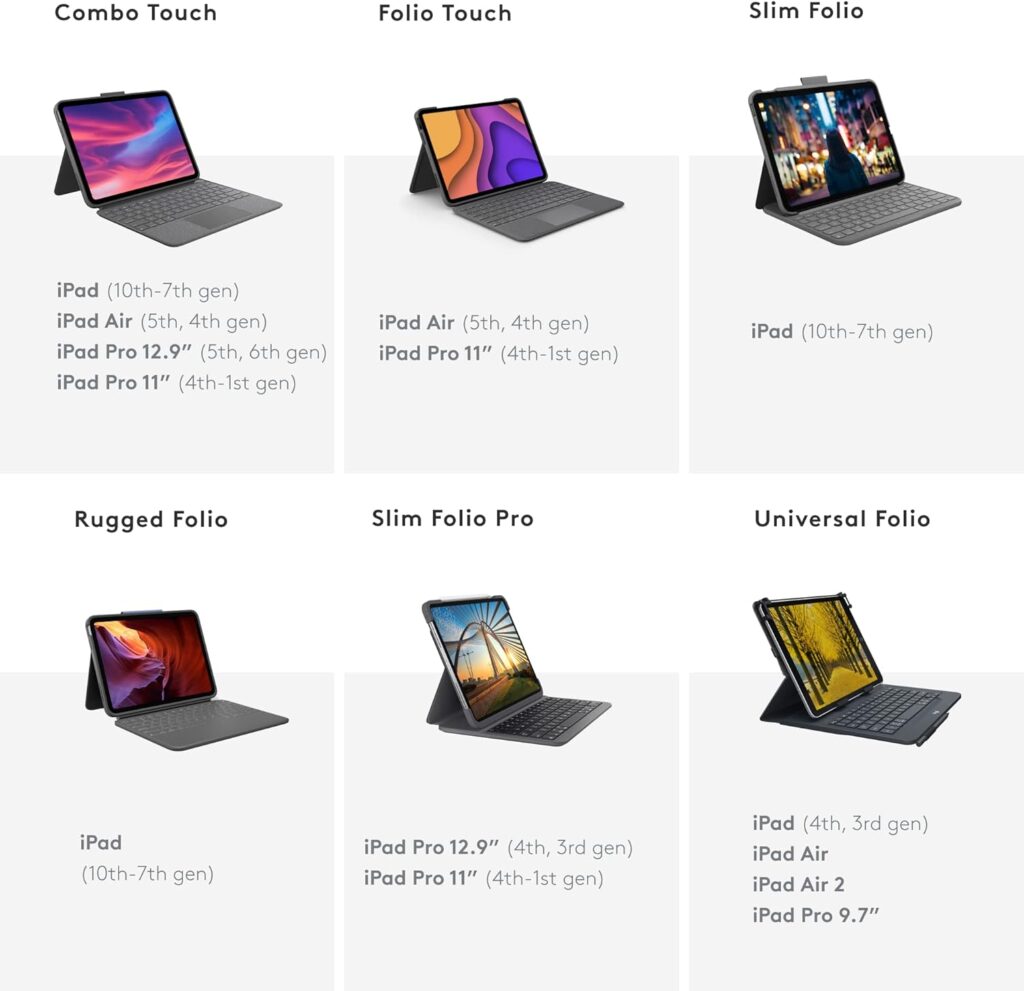
Logitech Combo Touch vs Magic Keyboard (Quick Verdict)
While a full comparison deserves its own post, the short answer is simple:
- Combo Touch: Better protection, detachable keyboard, iPadOS shortcuts
- Magic Keyboard: Premium look, but expensive and less protective
For most users, especially students, the Combo Touch offers better value.
- “Still undecided?
If you are wondering how this case stacks up against Apple’s premium offering, check out our head-to-head comparison:
👉 [Apple Magic Keyboard vs. Logitech Combo Touch: Which One Wins in 2026?]“
Final Verdict: Is It Worth Buying in 2026?
After testing and real-world use, the answer is yes. The Logitech Combo Touch remains one of the smartest iPad Pro accessories you can buy in 2026. It’s practical, durable, and designed for productivity.
If you’re building a complete setup, this accessory is also featured in our main buying guide:
👉 Best iPad Pro Accessories 2026 (internal link to your pillar post)
For anyone searching for a reliable Logitech Combo Touch iPad Pro review, this keyboard case delivers exactly what it promises—turning your iPad Pro into a true laptop alternative.
FAQs
Is Logitech Combo Touch good for iPad Pro students?
Yes, the Logitech Combo Touch is an excellent choice for iPad Pro students. It offers comfortable backlit keys, a large trackpad, and full edge protection, making it ideal for note-taking, assignments, and online classes Logitech Combo Touch iPad Pro review.
Does Logitech Combo Touch work with Apple Pencil?
Yes, it works perfectly with Apple Pencil. The detachable keyboard and adjustable kickstand make it easy to switch between typing and drawing or note-taking.
Logitech Combo Touch vs Magic Keyboard – which is better?
The Logitech Combo Touch offers better protection, a detachable keyboard, and dedicated iPadOS shortcut keys. The Magic Keyboard looks premium but is more expensive and offers less protection. For most users, Combo Touch provides better value.
Does Logitech Combo Touch need charging?
No, it does not require charging. The keyboard uses Apple’s Smart Connector, drawing power directly from the iPad Pro.
Is Logitech Combo Touch worth buying in 2026?
Yes, even in 2026, the Logitech Combo Touch remains one of the best keyboard cases for iPad Pro, especially for students, creators, and remote workers looking for laptop-like productivity Logitech Combo Touch iPad Pro review.
Y777gamelogin makes it so easy to get started. No fuss, just straight to the games. I appreciate the simplicity. Quick and easy login is a win in my book! Check it out here y777gamelogin