
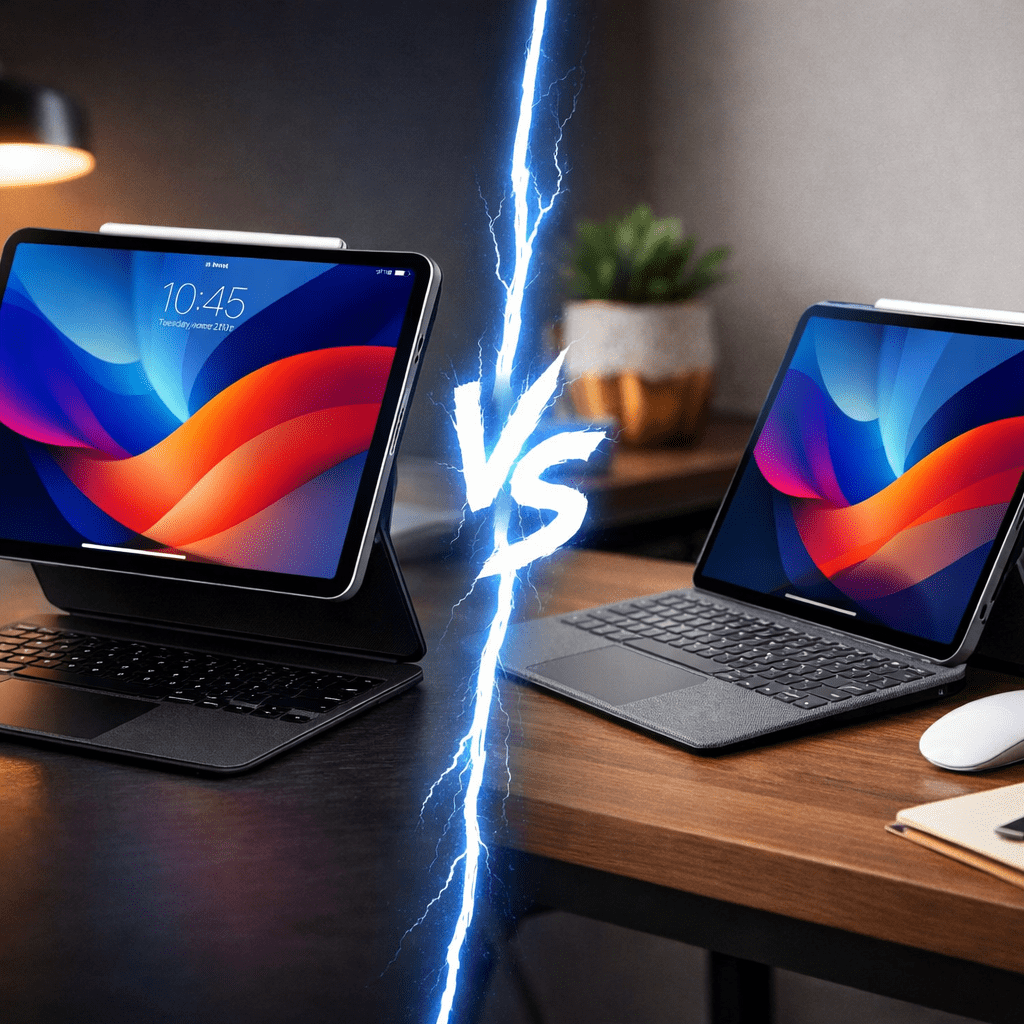
Apple Magic Keyboard vs Logitech Combo Touch: Which Is the Best iPad Keyboard in 2026?
Introduction
You have the iPad Pro—the most powerful tablet on the planet. But to truly unlock its potential and turn it into a laptop replacement, you need a keyboard. This brings us to the ultimate showdown of 2026: Apple Magic Keyboard vs Logitech Combo Touch.
For years, Apple’s Magic Keyboard has been the gold standard of luxury, with its floating design and premium price tag. On the other hand, the Logitech Combo Touch has emerged as the “People’s Champion,” offering more features, better protection, and a significantly lower price As featured in our list of [5 Must-Have iPad Pro Accessories 2026].
So, which one should you buy? Is the Apple aesthetic worth the extra $100? Or does Logitech offer the better value for students and professionals? In this detailed comparison, we break down every aspect—from typing experience to durability—to help you make the right choice Apple Magic Keyboard vs Logitech Combo Touch.
👉 [Check Price: Apple Magic Keyboard on Amazon]

Design and Build: Floating vs. Kickstand
The most obvious difference in the Apple Magic Keyboard vs Logitech Combo Touch battle is the design philosophy.
Apple Magic Keyboard:
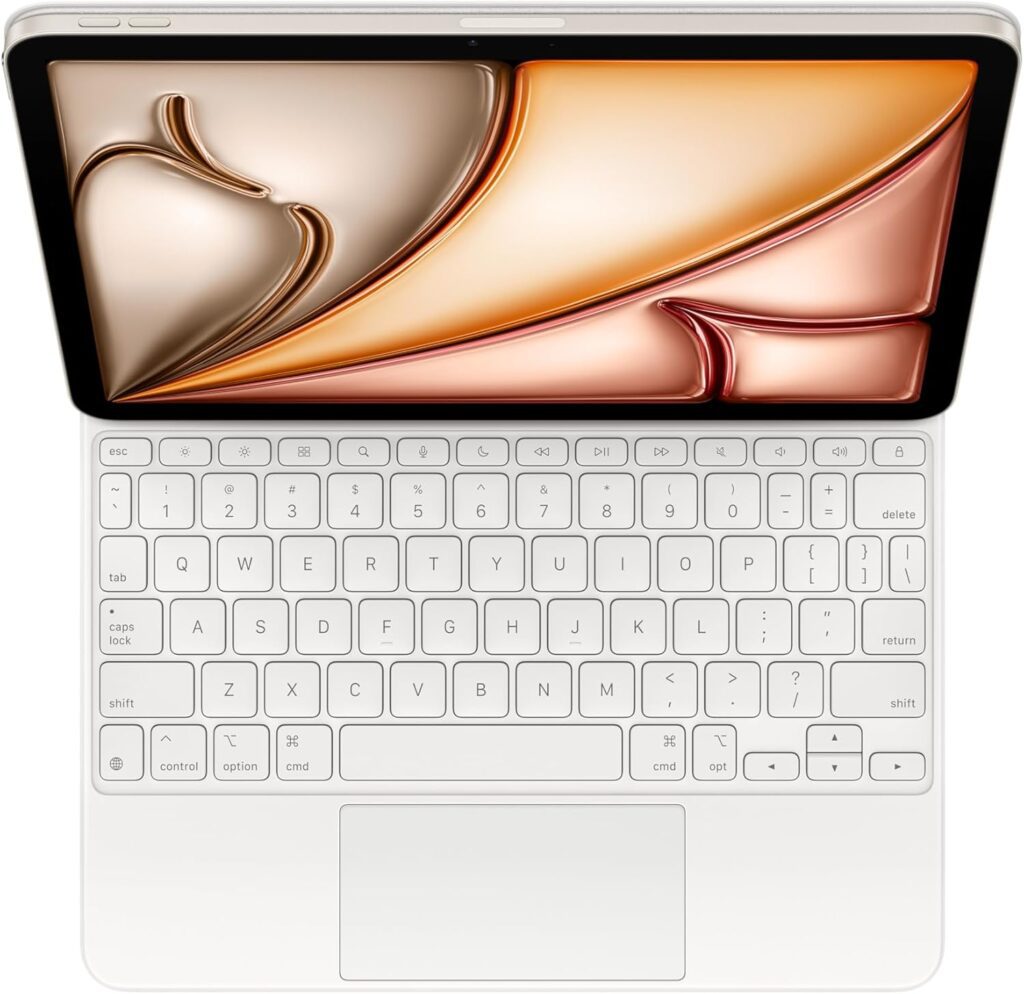
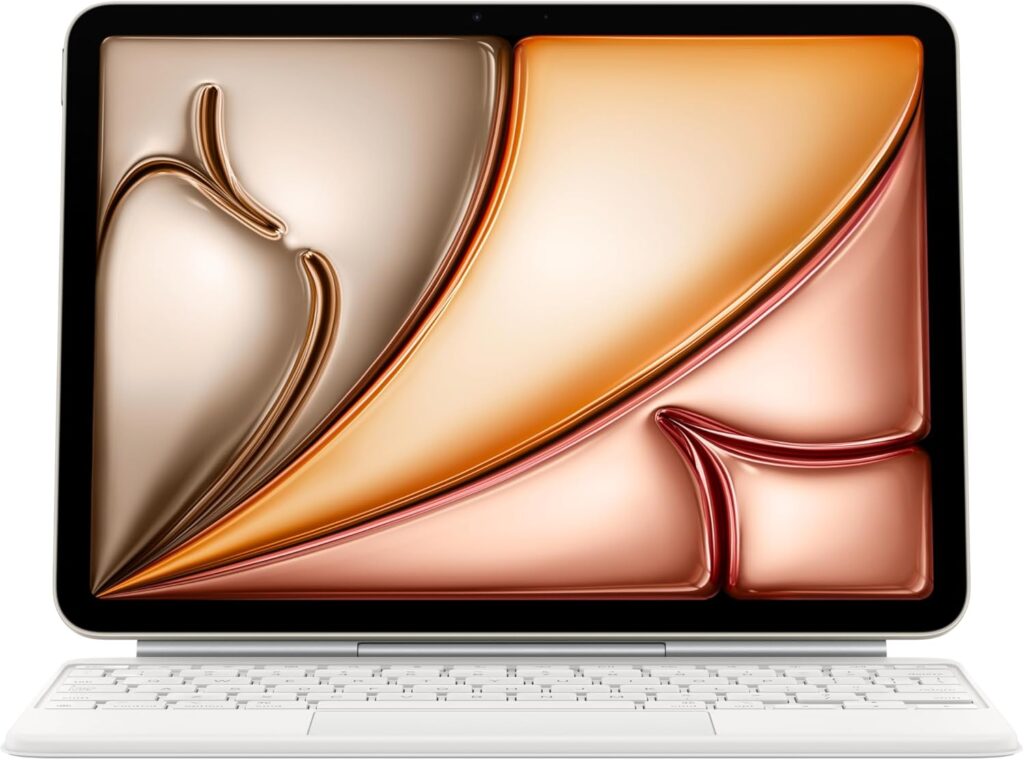
Apple went for the “Wow” factor. It uses a cantilever design that magnetically holds the iPad floating above the keys. It looks stunning and futuristic. However, it offers zero protection for the sides of the iPad. If you drop it, your device is vulnerable.
Logitech Combo Touch:
Logitech prioritized versatility. It comes in two parts: a protective case that snaps onto the iPad and a detachable keyboard. It uses a Microsoft Surface-style kickstand on the back. This means you can detach the keyboard and still use the stand to watch movies or draw.
Winner: Tie. Choose Apple for style, Logitech for versatility and protection.
Typing Experience: The Click and Feel
Since you are buying this to write, the typing feel is crucial.
Apple Magic Keyboard:
Apple uses scissor switches with 1mm travel. The keys are firm, stable, and incredibly satisfying to type on. It feels exactly like typing on a MacBook Air. It is sturdy and perfect for “lap typing” (using it on your lap).
Logitech Combo Touch:
Logitech’s keys are slightly softer but equally responsive. They are well-spaced and comfortable for long essays. However, because it uses a kickstand, it requires more depth on a desk and can be a bit wobbly on your lap compared to Apple’s rigid hinge.
Winner: Apple Magic Keyboard (Slight edge for stability).
Trackpad and Gestures
Both keyboards connect via the Smart Connector, meaning there is no Bluetooth lag and no need to charge them separately.
In our Apple Magic Keyboard vs Logitech Combo Touch testing, both trackpads supported full iPadOS multi-touch gestures. You can swipe, pinch, and scroll seamlessly on both. Apple’s trackpad is glass and clicks evenly everywhere, while Logitech’s is slightly larger, giving you more room to maneuver.
Features: The “Function Key” Advantage
This is where Logitech throws a massive punch.
The Missing Row:
The Apple Magic Keyboard lacks a “Function Row” (the top row of keys). If you want to change screen brightness or volume, you have to reach up and touch the Control Center on the screen. It breaks your flow.
Logitech’s Solution:
The Logitech Combo Touch includes a full row of shortcut keys for:
- Home / Lock Screen
- Screen Brightness
- Volume / Mute
- Media Controls
For productivity lovers, this row of keys is a game-changer and a major point in the Apple Magic Keyboard vs Logitech Combo Touch debate.
Protection and Portability
If you are a student carrying your iPad in a backpack, protection matters.
- Apple: When you close the Magic Keyboard, it covers the front and back, but the aluminum edges of the iPad are exposed. It is not drop-proof.
- Logitech: The Combo Touch acts as a rugged bumper case. It covers every corner and edge. You can toss it in your bag without worrying about scratches.
However, protection comes at a weight cost. The Logitech case is heavier and thicker than Apple’s sleek folder design Apple Magic Keyboard vs Logitech Combo Touch.
Price Comparison: The Deal Breaker
For many, the Apple Magic Keyboard vs Logitech Combo Touch decision comes down to the wallet.
- Apple Magic Keyboard: Starts around $299 – $349 (depending on size). It is a luxury purchase.
- Logitech Combo Touch: Starts around $199 – $229.
The Math:
You save roughly 100-130 by choosing Logitech. With that saved money, you could buy an Apple Pencil or a Paperlike Screen Protector.
Who Should Buy the Apple Magic Keyboard?
You should buy the Apple Magic Keyboard if:
- Budget is not an issue: You want the premium Apple look and feel.
- Lap Typing: You type on your lap frequently (e.g., on commute trains or sofas).
- Minimalism: You want the smallest footprint possible on a desk.
- USB-C Pass-through: It adds an extra charging port, leaving the iPad’s main port free for hubs.
👉 [Buy Apple Magic Keyboard on Amazon]
Who Should Buy the Logitech Combo Touch?
You should buy the Logitech Combo Touch if:
- You want Value: You get 95% of the features for 70% of the price.
- Protection is Key: You are a student or travel often and need bump protection.
- Versatility: You want to detach the keyboard to read or sketch without removing the case.
- Function Keys: You need those shortcut keys for volume and brightness.
We have tested this case extensively in a separate article. If you want to see every detail about it, read our dedicated
👉 [Read Our Logitech Combo Touch iPad Pro Review]
Conclusion: The Final Verdict
After extensive testing for 2026, the verdict in the Apple Magic Keyboard vs Logitech Combo Touch battle is clear.
If you want the absolute best typing experience and money is no object, get the Apple Magic Keyboard. It is an engineering marvel.
However, for the majority of users—especially students and creatives—the Logitech Combo Touch is the smarter buy. It offers better protection, more features (function keys), and incredible versatility at a much fairer price point. It truly turns your iPad into a do-it-all machine.
(Disclaimer: As an Amazon Associate, I earn from qualifying purchases.)
FAQs
Does the Logitech Combo Touch drain the iPad battery?
Both keyboards use the Smart Connector to draw power from the iPad. The drain is minimal (2-3% per hour of use) for both devices Apple Magic Keyboard vs Logitech Combo Touch.
Can I use the Apple Magic Keyboard with a case?
No, the Magic Keyboard relies on magnets, so you cannot use a protective case with it (unless you buy specialized, thin magnetic skins) Apple Magic Keyboard vs Logitech Combo Touch.
Which keyboard is better for drawing?
The Logitech Combo Touch is better because you can detach the keyboard and use the kickstand to lower the iPad into “Sketch Mode” Apple Magic Keyboard vs Logitech Combo Touch.
Is the Logitech trackpad as good as Apple’s?
It is very close. While Apple’s glass trackpad is slightly smoother, Logitech’s trackpad is larger and supports all the same gestures perfectly Apple Magic Keyboard vs Logitech Combo Touch.